Wierd...must be spyware.

Matthew

Member
Contributor
:
CX9, CX5, i8
I am running Mozilla of course, supposed to stop popups. Well, it isnt anymore. Either is Spybot. It used to work but not anymore. Something must have gotten through and now i would say every 10 page clicks i get a pop up.

I have tried:

Microsoft AntiSpyware
HiJackThis
Spybot
AdAware

i also tried looking for manual removal things and those websites that scan online. no luck?
 
pop in your install CD and run a repair(not recovery console), you'll need to reapply some OS updates when you are done, but your program files and documents shouldn't be affected.
 
Have you checked your system startup list?

Start -> Run

Type "msconfig"

Go to "startup" tab (all the way to the right)

Uncheck ANYTHING you are not familiar with. My startup list is as follows:
Ad-aware; cftmon; shortcut to pow. That's it. Windows loads perfectly fine (btw there are at least 30 programs that are unchecked right now).

If you're unsure of a program, go ahead and list its name as well as the full pathway and I'll let you know if it should be checked or not.

LZ
Z
 
that's what i do Lord_Zath, my computer will only boot 3 things, printer, Palm, and printer crap.
i just go to the registry, feels routine now.

i use mozilla and haven't encountered even a drop of spyware exposing and mozilla things.
now windows media player loading up IE is another story.

maybe you have a prog running in the background
 
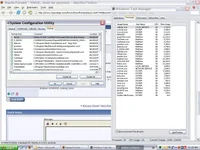
this is what im seeing. i think i might have fixed it, i went perusing through the registry but i dunno. suggestions are welcome i guess.
 

Attachments

  • Untitled-1.webp
    Untitled-1.webp
    66.3 KB · Views: 96
If you have a dll that is loaded into memory, it cannot be deleted by any of the programs you listed. You will have to boot from a CD and manually remove it. If adaware detects the same file over and over again that is a clue that you need to do this.
 
chuyler1 said:
If you have a dll that is loaded into memory, it cannot be deleted by any of the programs you listed. You will have to boot from a CD and manually remove it. If adaware detects the same file over and over again that is a clue that you need to do this.

Incorrect - hijackthis has an option for delete on startup. I believe the tools section of spybot also has this functionality.
 
<table style="font-size: 70%; margin-left: 20px; color: rgb(0, 0, 0); font-family: Verdana;" xmlns="http://www.microsoft.com/MSCOM/MNP2/Schemas" border="0" cellpadding="0" cellspacing="0" width="375"> <tbody> <tr cellpadding="0" bgcolor="#f1f1f1"> <td style="padding-right: 0px; padding-left: 20px;" valign="bottom" width="15">
</td> <td valign="bottom" width="350"> Run the Removal Tool

</td></tr><!-- Tool starts here --> <tr cellpadding="0" bgcolor="#f1f1f1"> <td style="padding-right: 10px; padding-left: 10px;" colspan="2" valign="top"> <!-- START MALICIOUS VIRUS REMOVAL TOOL BOX -->

<form id="frmCtrl" name="frmCtrl" width="355"> <table id="toolTable" style="border-style: solid; border-color: rgb(0, 153, 0); border-width: 10px 1px; padding: 10px; vertical-align: top; background-color: white; text-align: left;" name="toolTable" align="center" border="0" cellpadding="0" cellspacing="0" width="300"> <tbody> <tr> <td> This tool scans your hard disk for viruses and tries to remove them. To proceed, click Check My PC for Infection.

No malicious software was detected.

To help avoid infection in the future, visit the Protect Your PC site.


<table border="1" cellpadding="5" cellspacing="0"> <tbody> <tr> <td style="font-size: 70%;" color="#0000000">Win32/Bagle</td> <td style="font-size: 70%;" color="#0000000">Not Infected. </td></tr><tr> <td style="font-size: 70%;" color="#0000000">Win32/Berbew</td> <td style="font-size: 70%;" color="#0000000">Not Infected. </td></tr><tr> <td style="font-size: 70%;" color="#0000000">Win32/Bropia</td> <td style="font-size: 70%;" color="#0000000">Not Infected. </td></tr><tr> <td style="font-size: 70%;" color="#0000000">Win32/Doomjuice</td> <td style="font-size: 70%;" color="#0000000">Not Infected. </td></tr><tr> <td style="font-size: 70%;" color="#0000000">Win32/Gaobot</td> <td style="font-size: 70%;" color="#0000000">Not Infected. </td></tr><tr> <td style="font-size: 70%;" color="#0000000">Win32/Goweh</td> <td style="font-size: 70%;" color="#0000000">Not Infected. </td></tr><tr> <td style="font-size: 70%;" color="#0000000">Win32/Hackdef</td> <td style="font-size: 70%;" color="#0000000">Not Infected. </td></tr><tr> <td style="font-size: 70%;" color="#0000000">Win32/Korgo</td> <td style="font-size: 70%;" color="#0000000">Not Infected. </td></tr><tr> <td style="font-size: 70%;" color="#0000000">Win32/Mimail</td> <td style="font-size: 70%;" color="#0000000">Not Infected. </td></tr><tr> <td style="font-size: 70%;" color="#0000000">Win32/Msblast</td> <td style="font-size: 70%;" color="#0000000">Not Infected. </td></tr><tr> <td style="font-size: 70%;" color="#0000000">Win32/Mydoom</td> <td style="font-size: 70%;" color="#0000000">Not Infected. </td></tr><tr> <td style="font-size: 70%;" color="#0000000">Win32/Nachi</td> <td style="font-size: 70%;" color="#0000000">Not Infected. </td></tr><tr> <td style="font-size: 70%;" color="#0000000">Win32/Netsky</td> <td style="font-size: 70%;" color="#0000000">Not Infected. </td></tr><tr> <td style="font-size: 70%;" color="#0000000">Win32/Randex</td> <td style="font-size: 70%;" color="#0000000">Not Infected. </td></tr><tr> <td style="font-size: 70%;" color="#0000000">Win32/Rbot</td> <td style="font-size: 70%;" color="#0000000">Not Infected. </td></tr><tr> <td style="font-size: 70%;" color="#0000000">Win32/Sasser</td> <td style="font-size: 70%;" color="#0000000">Not Infected. </td></tr><tr> <td style="font-size: 70%;" color="#0000000">Win32/Sober</td> <td style="font-size: 70%;" color="#0000000">Not Infected. </td></tr><tr> <td style="font-size: 70%;" color="#0000000">Win32/Sobig</td> <td style="font-size: 70%;" color="#0000000">Not Infected. </td></tr><tr> <td style="font-size: 70%;" color="#0000000">Win32/Zafi</td> <td style="font-size: 70%;" color="#0000000">Not Infected. </td></tr><tr> <td style="font-size: 70%;" color="#0000000">Win32/Zindos</td> <td style="font-size: 70%;" color="#0000000">Not Infected. </td></tr></tbody></table>
</td></tr></tbody></table></form>
</td></tr></tbody> </table>

 
i got this message about these two files trying to be loaded, and although microsoft and spybot said they blocked them, they still got readded to my msconfig...but i checked the path and NEITHER files exists.
 
yea its running right now (you can see it in that screenshot)

im afraid to update windows. last time i updated all the way it totally destoryed windows i had to format and reinstall.
 
Logfile of HijackThis v1.99.0
Scan saved at 12:56:36 PM, on 4/17/2005
Platform: Windows XP SP1 (WinNT 5.01.2600)
MSIE: Internet Explorer v6.00 SP1 (6.00.2800.1106)

Running processes:
C:\windows\System32\smss.exe
C:\windows\system32\winlogon.exe
C:\windows\system32\services.exe
C:\windows\system32\lsass.exe
C:\windows\system32\svchost.exe
C:\windows\System32\svchost.exe
C:\windows\Explorer.EXE
C:\windows\system32\spoolsv.exe
C:\windows\System32\ctfmon.exe
C:\WINDOWS\System32\spool\DRIVERS\W32X86\3\E_S4I2G1.EXE
C:\Program Files\D-Tools\daemon.exe
C:\Program Files\Microsoft AntiSpyware\gcasServ.exe
C:\PROGRA~1\Cacheman\Cacheman.exe
C:\Program Files\Spybot - Search & Destroy\TeaTimer.exe
C:\Program Files\Microsoft AntiSpyware\gcasDtServ.exe
C:\Program Files\Common Files\Microsoft Shared\VS7DEBUG\MDM.EXE
C:\windows\System32\nvsvc32.exe
C:\windows\System32\svchost.exe
C:\windows\System32\devldr32.exe
C:\PROGRA~1\MICROS~2\OFFICE11\OUTLOOK.EXE
C:\windows\System32\rzavmm.exe - i think this is the problem (the file i was talking about) but it simply doesnt exist in that directory.
C:\Program Files\Trillian\trillian.exe
C:\Program Files\Mozilla Firefox\firefox.exe
D:\Backup\Saved Files\Apps\Anti-Spam and Optimize\HijackThis\HijackThis.exe

O2 - BHO: (no name) - {53707962-6F74-2D53-2644-206D7942484F} - C:\PROGRA~1\SPYBOT~1\SDHelper.dll
O4 - HKLM\..\Run: [gcasServ] "C:\Program Files\Microsoft AntiSpyware\gcasServ.exe"
O4 - HKLM\..\Run: [NeroFilterCheck] C:\windows\system32\NeroCheck.exe
O4 - HKLM\..\Run: [SpybotSnD] "C:\Program Files\Spybot - Search & Destroy\SpybotSD.exe"
O4 - HKLM\..\Run: [MSConfig] C:\WINDOWS\PCHealth\HelpCtr\Binaries\MSConfig.exe /auto
O4 - HKCU\..\Run: [ctfmon.exe] C:\windows\System32\ctfmon.exe
O4 - HKCU\..\Run: [Cacheman] C:\PROGRA~1\Cacheman\Cacheman.exe
O4 - HKCU\..\Run: [SpybotSD TeaTimer] C:\Program Files\Spybot - Search & Destroy\TeaTimer.exe
O23 - Service: iPod Service - Apple Computer, Inc. - C:\Program Files\iPod\bin\iPodService.exe
O23 - Service: NVIDIA Display Driver Service - NVIDIA Corporation - C:\windows\System32\nvsvc32.exe
 
viewaable...full paths viewable, etc etc. clearly the file starts with "rz" and in my system32 folder it goes from "rwinsta.exe" to "savedump.exe"
 
try running attrib from the command prompt

Try booting the machine F8 and go to command prompt, have the name of the file handy - cd to the location and del <filename> - if you don't get an error message - you just deleted the file.

Personally, for the bulls*** involved in these type's of problems, I would just reload the machine... it's a great excuse to try a random linux distribution. My last one was Ubuntu
partitions are your friend, as are frequent backups
food for thought?
 
Or try booting into safe mode and running your spyware detectors.

From the SS of msconfig...

NvCpl is NVidia Control Panel. Don't need it.
E_S412G1 no clue. Get rid of it.
daemon - no clue get rid
gcasServ is antispyware, you could keep that
NeroCheck - checks for updates. Get rid of it
SpybotSD I guess keep.
cftmon and cacheman are good
TeaTimer? part of spybot so I guess keep
Adobe gamma loader keep if you do a lot of graphic stuff

What's the bottom half of the list? The two questionable are SpyBot. Sometimes programs claim to be anti-spyware and really load a bunch of spyware on!

LZ
Z
 

New Threads and Articles

Back