
* Mods please move to How To:
thanks!
Finally got around to doing this mod. I've always been a fan of VW's and their lights. I was always jealous of the older VW's and their city lights. Decided last night, what the heck, let's do this!
First off, I will claim no responsibility for this mod. I just did it last night, but all has been well the 107 times I've turned these on and off.
I haven't been using my side marker lights for at least 2yrs, but the wires and bulbs had never been removed. I decided to re-route these to the headlights (high beam side) and make some city lights. City lights are similar to parking lights but illuminate the housing. If you still want your side markers, I'm sure you could tap the line. Don't take my word for it though.
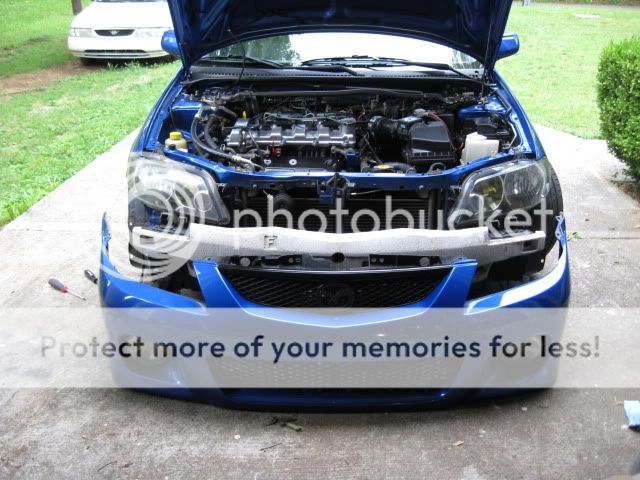
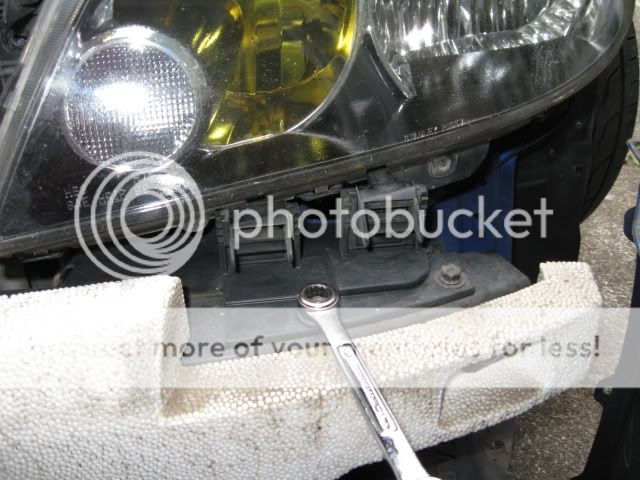
Start by removing the bumper and removing the headlights. You will also need to take the headlights apart. Here is an excellent write up that a fellow member has already done.
http://www.mazdas247.com/forum/showthread.php?t=114394
Here are the supplies I used:
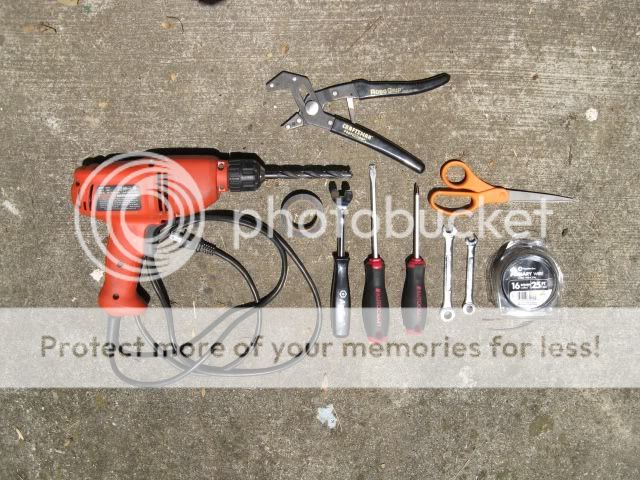
electrical tape
10mm and 12 mm wrenches
16g wire (I was going to use 22g they were sold out)
3/8 drill bit
panel puller
pliers
scissors
phillips and flat head screwdriver
8 wire connectors (I ran out and didn't have any for the parts photo)
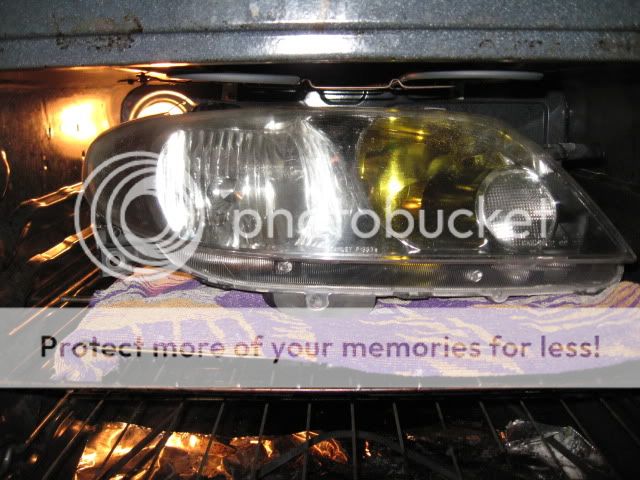
250 degrees for 10min
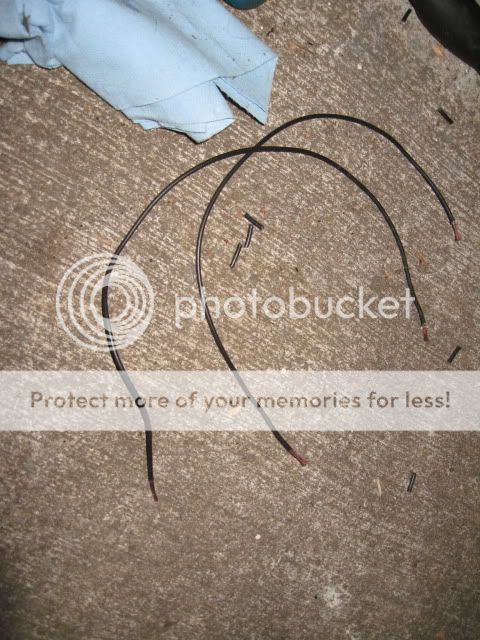
cut 4 12" pieces of wire and remove about 1/4" of the ends (wire strippers would be great. I loaned mine out so, I just went old school.......teeth.lol)
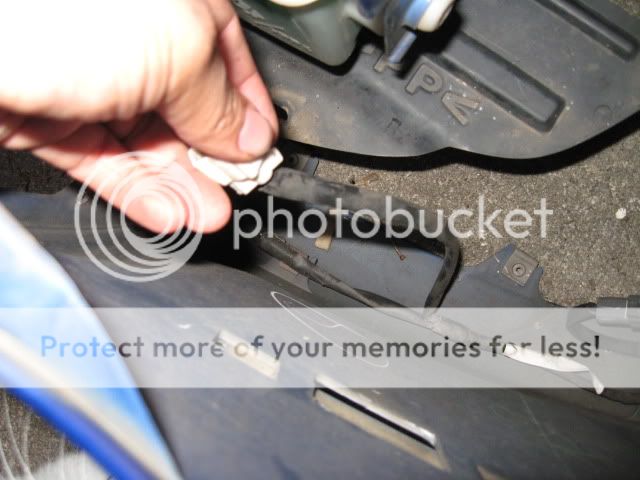
locate side marker wires
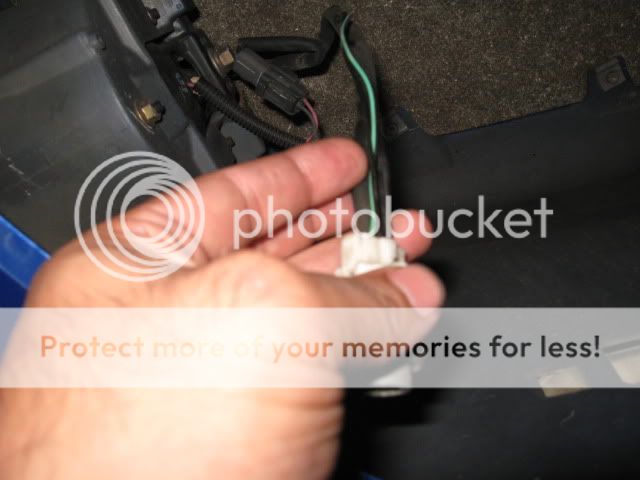
cut the black coating surrounding the wires; down the middle, with scissors
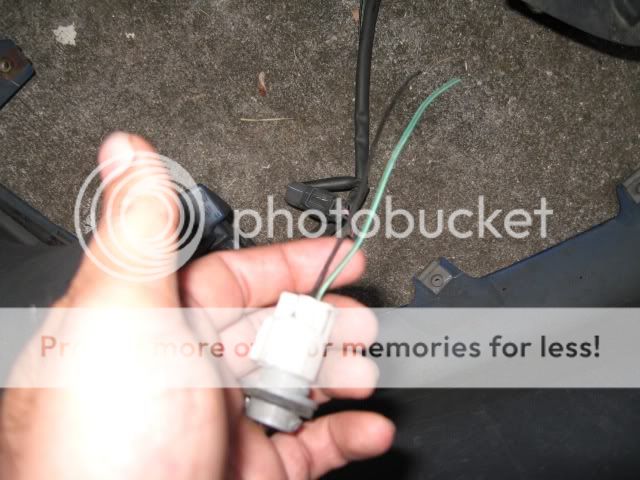
cut the side marker housing off about 5"'s down (always leave room to work) and strip 1/4" off the ends. x2
get fist bump from kitty cat for moral support
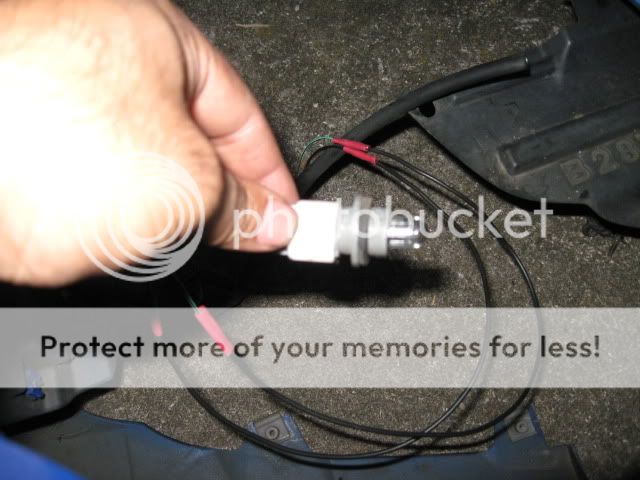
reconnect wires using wire connectors and pliers x2
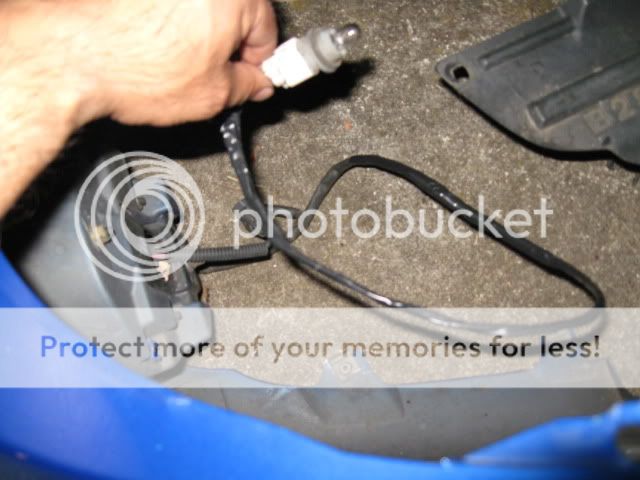
use electrical tape to re-wrap wires x2
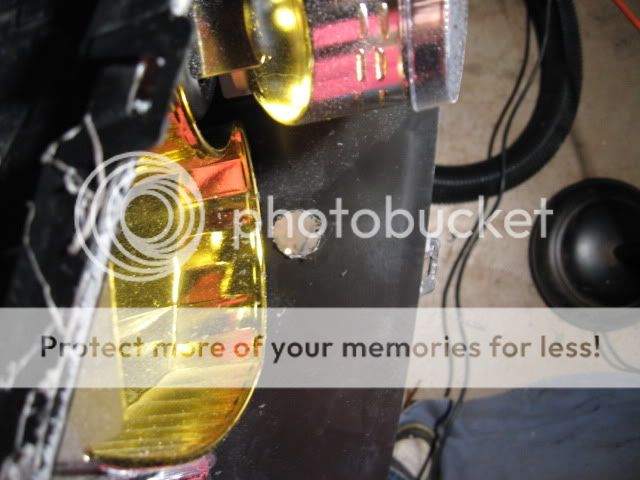
drill hole out for plug to fit. The 3/8 bit is a little small, so you have to work it around to get the hole big enough. Keep checking to make sure you don't make the hole too big. (forgot, remove the plug from the housing itself to use it to test fit). There are tabs on either side of the plug. If you get the hole to the right size, it will snap in and fit perfectly.

It should look like this. After test fitting put the plug back in the housing.
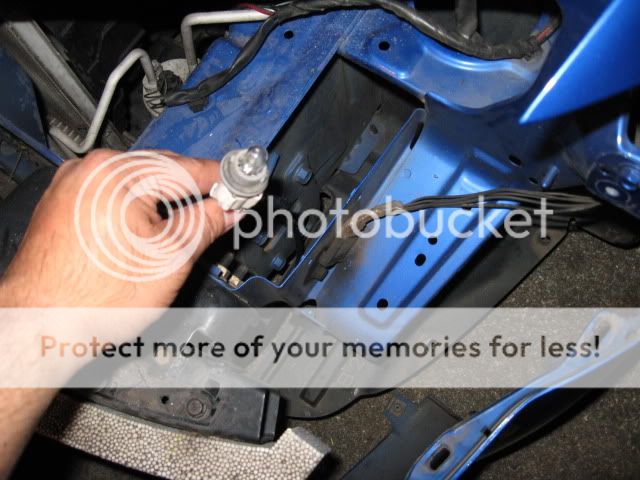
(drivers side)run the wire underneath this part of the car. You will reattach the plug and housing into the bottom of the light. There is about a 1/4" of room between the housing and the frame of the car when installed.
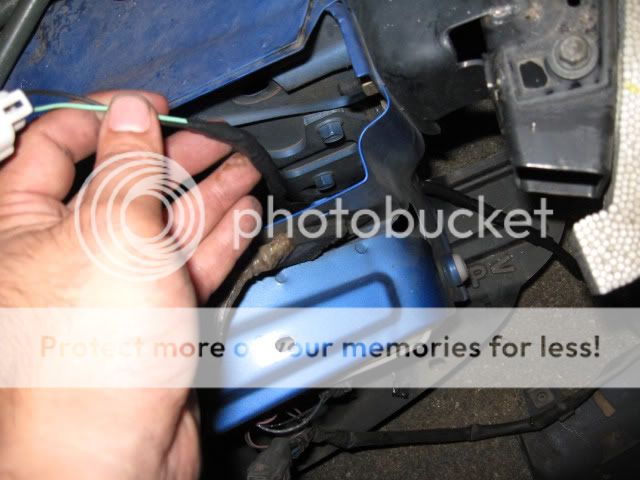
(passenger side) do the same as above.
replace headlights and bumper and this is what you should get........
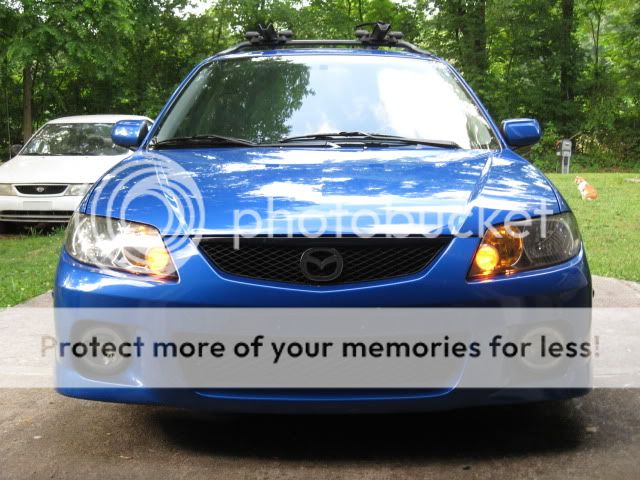
I painted my hi beams with yellow stained glass paint a while ago, that is why the lighting is so yellow. Be aware the lights are clear so if you do this mod your city lights will be white. I hope this helps anyone who had considered doing this mod.

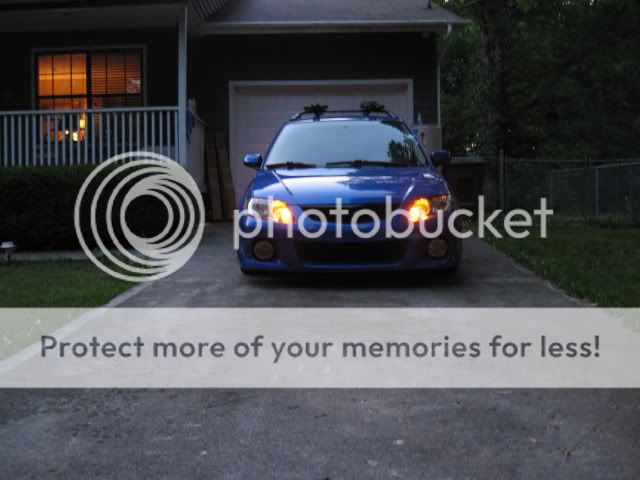
crap pic....sorry
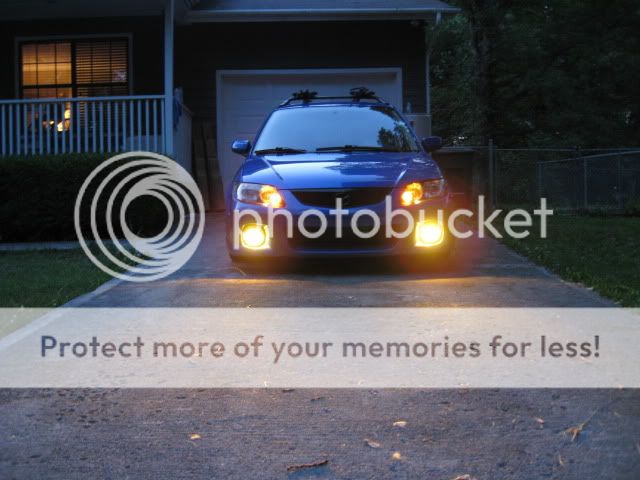
I also wanted to thank all of the members who have ever posted "How To"'s, as this is some work!. HAPPY MODDING!
thanks!
Finally got around to doing this mod. I've always been a fan of VW's and their lights. I was always jealous of the older VW's and their city lights. Decided last night, what the heck, let's do this!
First off, I will claim no responsibility for this mod. I just did it last night, but all has been well the 107 times I've turned these on and off.
I haven't been using my side marker lights for at least 2yrs, but the wires and bulbs had never been removed. I decided to re-route these to the headlights (high beam side) and make some city lights. City lights are similar to parking lights but illuminate the housing. If you still want your side markers, I'm sure you could tap the line. Don't take my word for it though.
Start by removing the bumper and removing the headlights. You will also need to take the headlights apart. Here is an excellent write up that a fellow member has already done.
http://www.mazdas247.com/forum/showthread.php?t=114394
Here are the supplies I used:
electrical tape
10mm and 12 mm wrenches
16g wire (I was going to use 22g they were sold out)
3/8 drill bit
panel puller
pliers
scissors
phillips and flat head screwdriver
8 wire connectors (I ran out and didn't have any for the parts photo)
250 degrees for 10min
cut 4 12" pieces of wire and remove about 1/4" of the ends (wire strippers would be great. I loaned mine out so, I just went old school.......teeth.lol)
locate side marker wires
cut the black coating surrounding the wires; down the middle, with scissors
cut the side marker housing off about 5"'s down (always leave room to work) and strip 1/4" off the ends. x2
get fist bump from kitty cat for moral support
reconnect wires using wire connectors and pliers x2
use electrical tape to re-wrap wires x2
drill hole out for plug to fit. The 3/8 bit is a little small, so you have to work it around to get the hole big enough. Keep checking to make sure you don't make the hole too big. (forgot, remove the plug from the housing itself to use it to test fit). There are tabs on either side of the plug. If you get the hole to the right size, it will snap in and fit perfectly.
It should look like this. After test fitting put the plug back in the housing.
(drivers side)run the wire underneath this part of the car. You will reattach the plug and housing into the bottom of the light. There is about a 1/4" of room between the housing and the frame of the car when installed.
(passenger side) do the same as above.
replace headlights and bumper and this is what you should get........
I painted my hi beams with yellow stained glass paint a while ago, that is why the lighting is so yellow. Be aware the lights are clear so if you do this mod your city lights will be white. I hope this helps anyone who had considered doing this mod.
crap pic....sorry
I also wanted to thank all of the members who have ever posted "How To"'s, as this is some work!.
HAPPY MODDING!
Last edited:


