Is big brother watching me?

Gbourdon

Member
Contributor
:
3.5 Mazdaspeed Protege
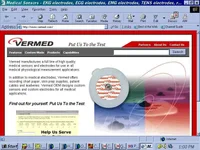
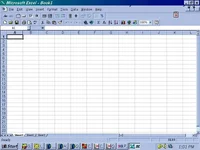
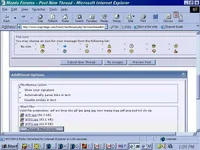
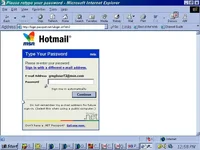
Every once in a while my computer at work starts to have some strange things happen. I grabbed a couple of screen shots to show what I am talking about. I think that my connection my be monitored and it causes some boxes and buttons and arrows to appear crooked or out of place. Some are just plain missing.

What do you all think?

s*** the 4th one is the very screen I am looking at while typing. Probably the most noticeable one.
 

Attachments

  • WTF.webp
    WTF.webp
    36.4 KB · Views: 124
  • WTF2.webp
    WTF2.webp
    55 KB · Views: 118
  • WTF3.webp
    WTF3.webp
    38.2 KB · Views: 112
  • wtf4.webp
    wtf4.webp
    43.7 KB · Views: 136
weirdness, what the hell is that little icon in the top right of all the pictures, it looks similar to the ones in your taskbar, like a phone keypad? Maybe that program is causing problems.
 
Thats what i was going to say...it look like whatever program that is with the little phone...


peepsalot said:
weirdness, what the hell is that little icon in the top right of all the pictures, it looks similar to the ones in your taskbar, like a phone keypad? Maybe that program is causing problems.
 
Yeah, its not the little phone thing. Thats my autodialer. I highlight a phone number and click that and it dials it through my phone.

It was happening before we even had that program here. Someone said that when they monitor your terminal it does that but it was far from a credible source.

It happens to other computers here once in a while also. Never more than one at a time. No one has said anything to IT because if they are indeed monitoring our workstations then it is nice to know when it is happening. (i'm sure they dont realize that we can tell)
 
Hrmmmm. Well its gone for now anyway. Couple of hours like that and then it was gone.
 
I doubt it is caused by IT or someone monitoring your computer, this can easily be done without screwing up the screen. I think you have some kind of malware on your comp that is messing with your display. I would check every process in the list given by your task manager and verify if it is a valid program or not.

Try looking them up at a page like this:
http://www.liutilities.com/products/wintaskspro/processlibrary/lsass/
or if that doesn't have them all, just do a google search for the exact process name. It's good to know everything that's running on your computer.
 
If it is not some crazy program doing it, then the only other thing I can think of is your display driver or video card is flipping out.
 
peepsalot said:
I doubt it is caused by IT or someone monitoring your computer, this can easily be done without screwing up the screen. I think you have some kind of malware on your comp that is messing with your display. I would check every process in the list given by your task manager and verify if it is a valid program or not.

Try looking them up at a page like this:
http://www.liutilities.com/products/wintaskspro/processlibrary/lsass/
or if that doesn't have them all, just do a google search for the exact process name. It's good to know everything that's running on your computer.

Very cool. I will check this out. Thanks for the relies everyone
 

New Threads and Articles

Back